How to make a receipt for a customer
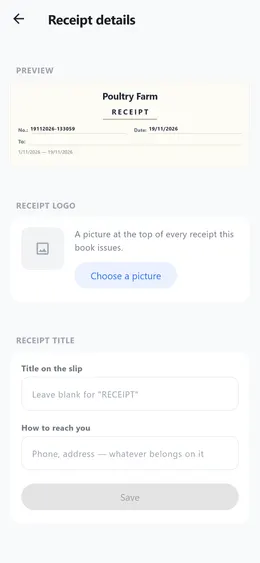
A receipt is a picture of a paper slip, written out the way a shop writes one: your name and logo at the top, the entries in rows, and the total at the bottom.
Step by step
- Once: in «Me», open «Receipt details». Choose a logo and write the title and how to reach you. What you type shows on the slip above it at once, before you save.
- Open «Reports» on the period you want, and tap «Export».
- Choose «Receipt». The slip is made, ready to send on WhatsApp or keep.
Good to know
- For a receipt of only some categories or days, build a report and send it from there. It also asks who the receipt is for.
- Only the book’s owner can change the logo and the title.
- Exporting reports and receipts comes with Premium.